Reduce the mental slog of technology
Case managers are always catching up, and busy, crowded interfaces get in the way more often than they help.
How might we cut through the noise to what matters most?
Giving caseworkers back their most limited resource — time with the people they serve.
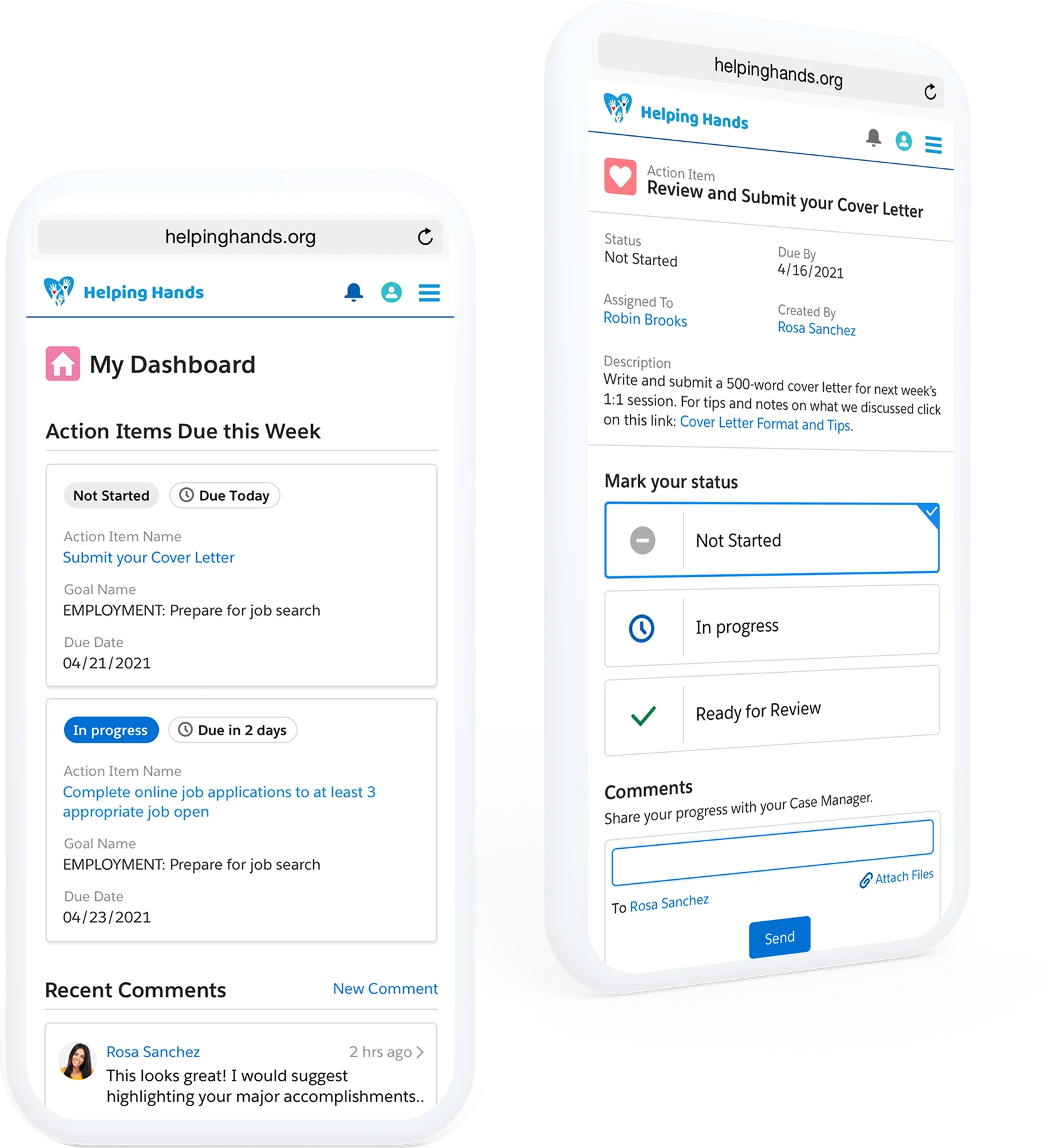
Client intake and case assignment became 70% faster, so caseworkers spend more of their day with the people they serve and less of it on paperwork.
Less time spent on admin reporting
of Nonprofit Cloud customers report information is more centralized, easier to access and more transparent
US patent granted for the case management method behind the design, US 11,782,943
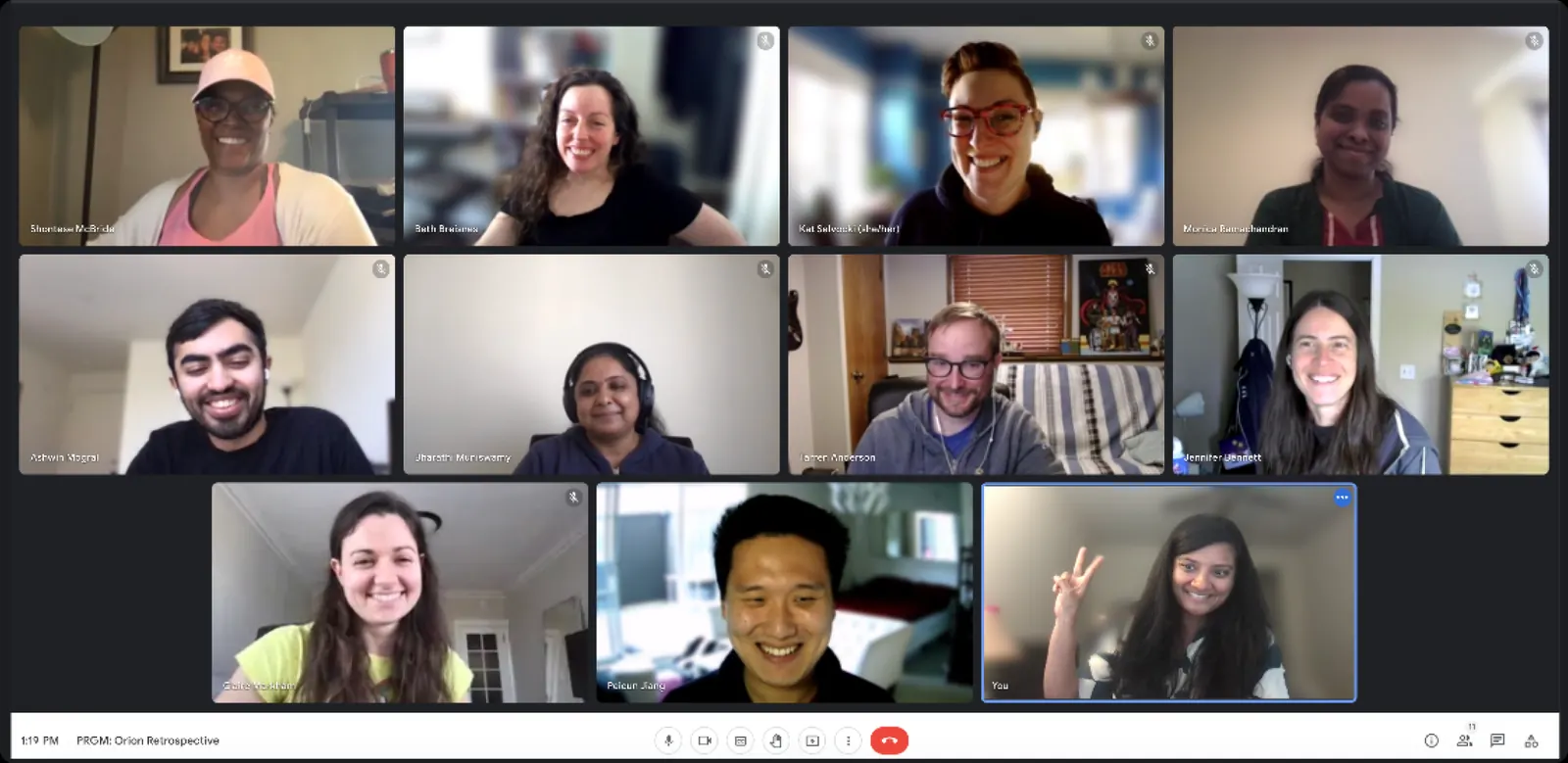
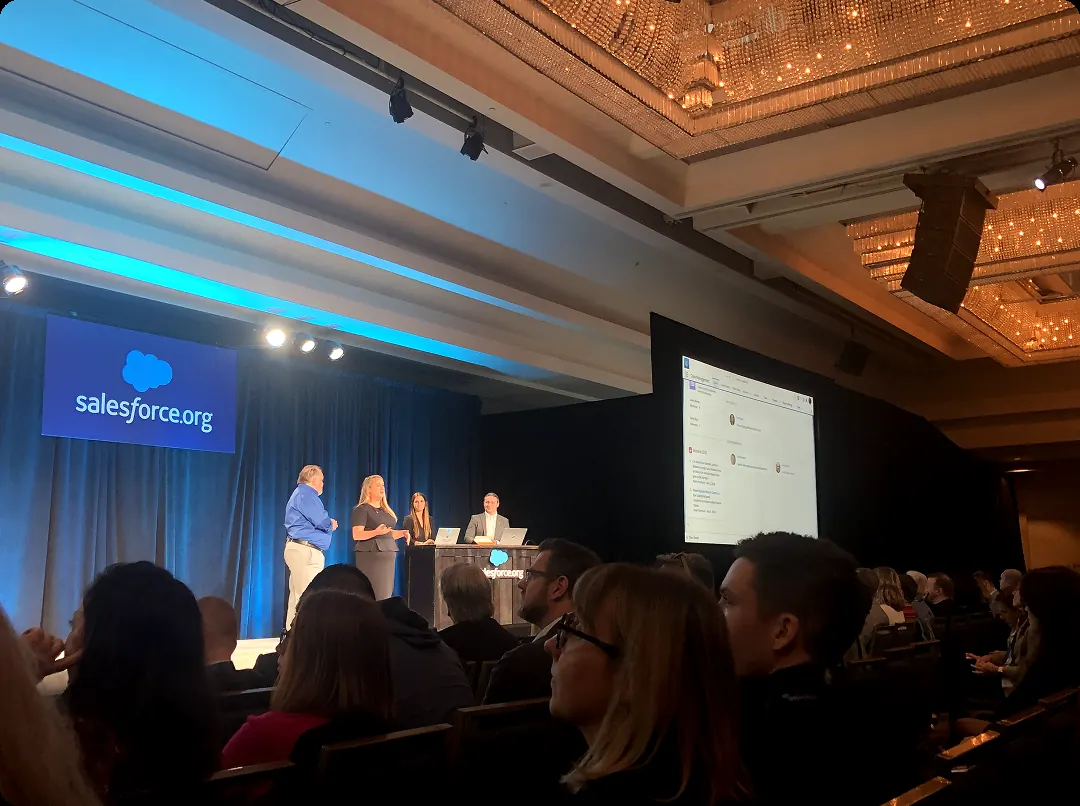
We built this product from the ground up over a year, from discovery research through GA in 2020, running bi-weekly iterative design sessions with participants and a three-phase customer pilot before launch.
What I owned
Nonprofits juggle several disconnected systems to track clients, so case managers lose hours hunting for records and doing admin instead of supporting people. Without one view of each client’s journey, it’s easy for someone to slip through the cracks.
Current case management processes are stitched together and siloed. Case Managers often have to pivot throughout their day, but lose much of their time starting over from square one.

Email, docs, spreadsheets, SMS and paper each hold a piece. Nothing is centralized, so answers are slow and work gets duplicated.
Case managers stay present with the client and capture details on phone or paper, entering them into Salesforce later.
There’s no fast way to see which clients or deliverables are urgent, or to get up to speed before a session.
Improvised spreadsheets track service plans and action items because the system doesn’t connect progress to goals.
Goals are client-defined and fluid, and the day isn’t 9 to 5. The tool has to follow shifting priorities, not lock them down.
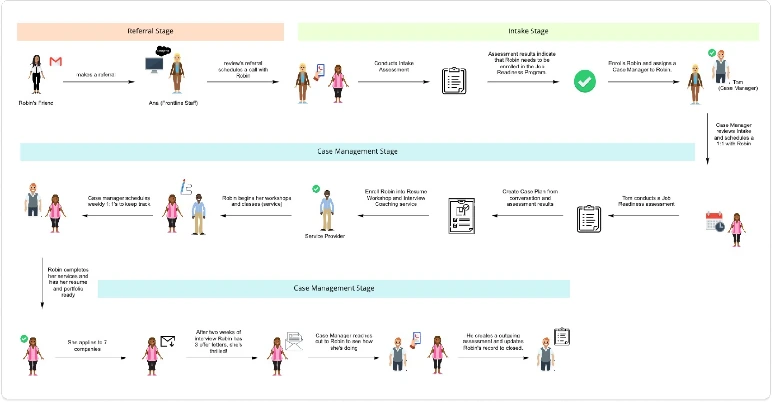
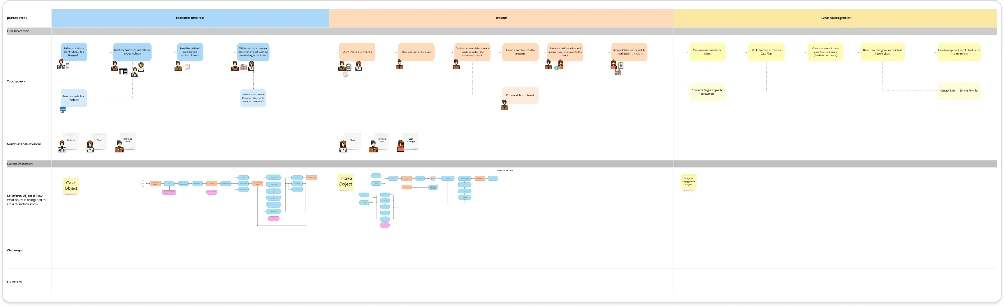
Before designing screens, we mapped how a client actually moves through an organization’s programs — and where the case manager walks alongside them.
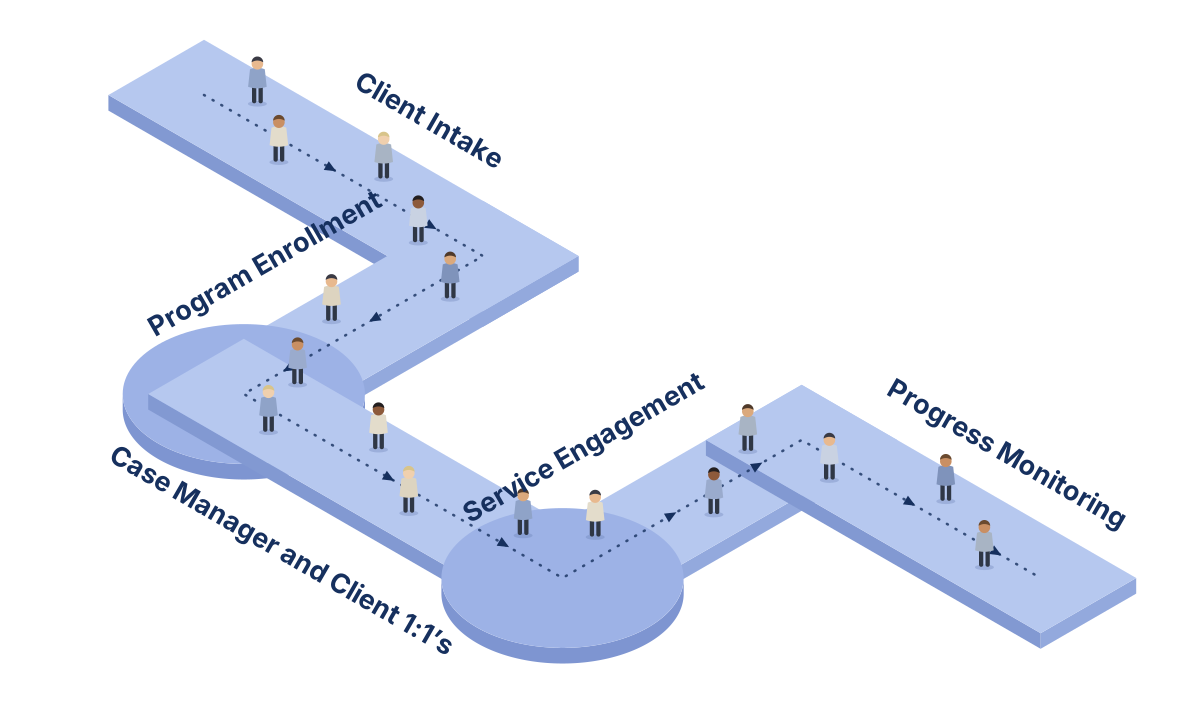
Case management is a constant stream of decisions, on and off the screen. Cut the unnecessary steps, anticipate needs before they’re voiced, and manage cognitive load with deliberate defocus and refocus.
Discovery calls with case managers and program managers mapped their days across two axes: digital engagement — time on devices — and human engagement, the time spent with clients and colleagues.
Case managers are at their best in people-heavy moments, not data-heavy ones. Their days are full of decisions on and off the screen, so we framed the work around anticipatory design: cut unnecessary interactions, answer a need one step before it’s expressed, and manage cognitive load by letting attention defocus and refocus.
From the How might we statements, we defined four principles to carry that vision across the team and the product:
Case workers’ comfort with technology varies widely, and their real skill is engaging with people. A simple, guided experience means less time entering data and more time with clients.
Everything centers on a case manager’s clients and caseload. Their dashboard paints a high-level picture of each client’s progress, then lets them drill into the specifics on that client’s profile.
Build components that are interoperable and customizable, so each organization can rearrange them to fit the way it works.
Case work is demanding and often emotionally heavy. Small, sparing moments of delight, like celebrating a completed goal, encourage case workers and remind them of the impact they’re making on their clients.
Ideate, then validate — in short loops, with engineers and PMs in the room rather than at the end of a handoff.
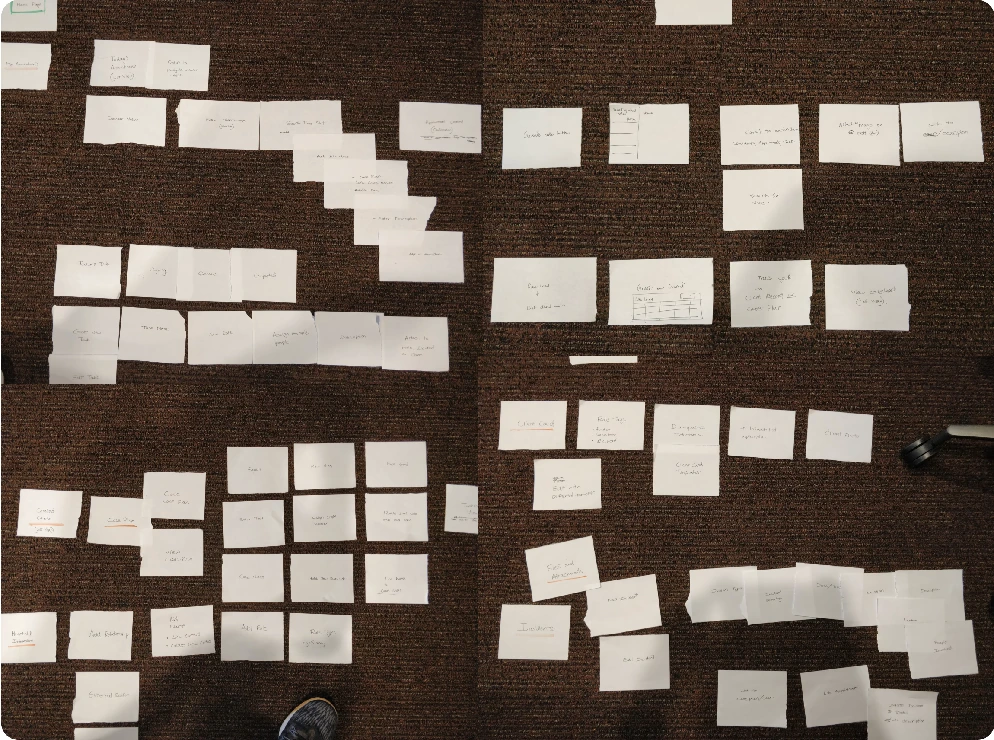
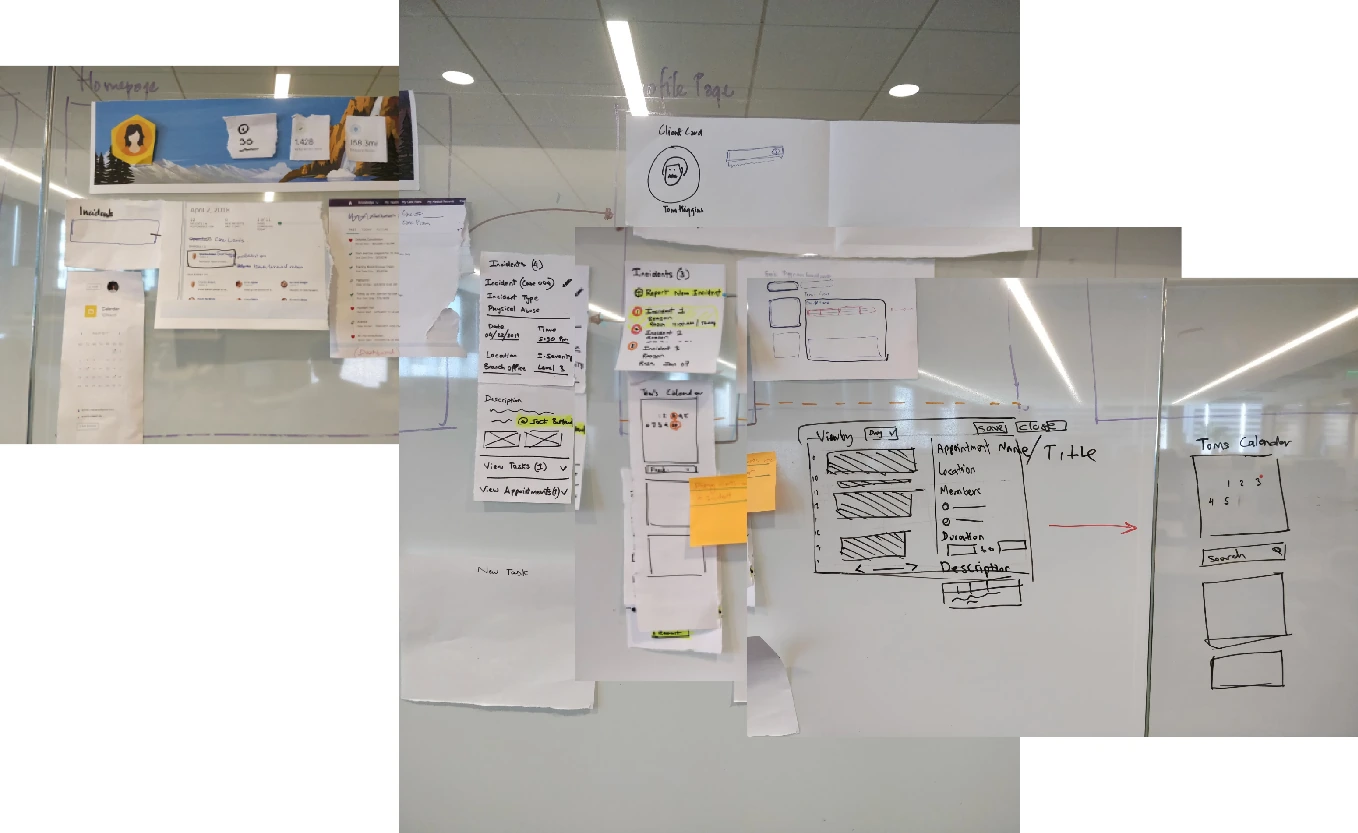
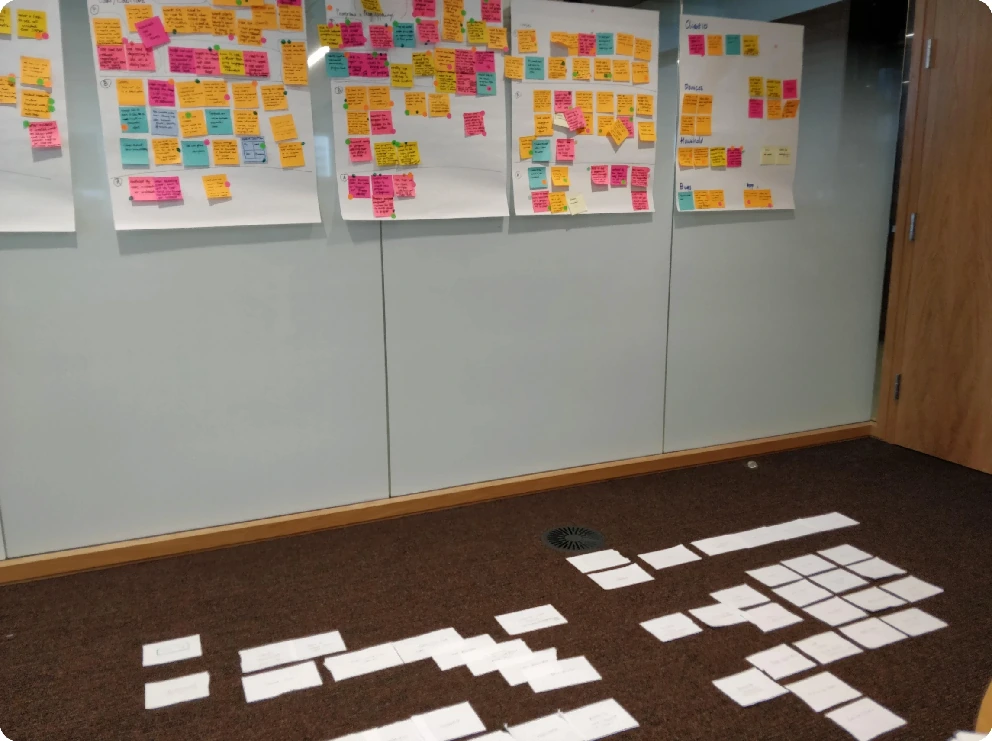
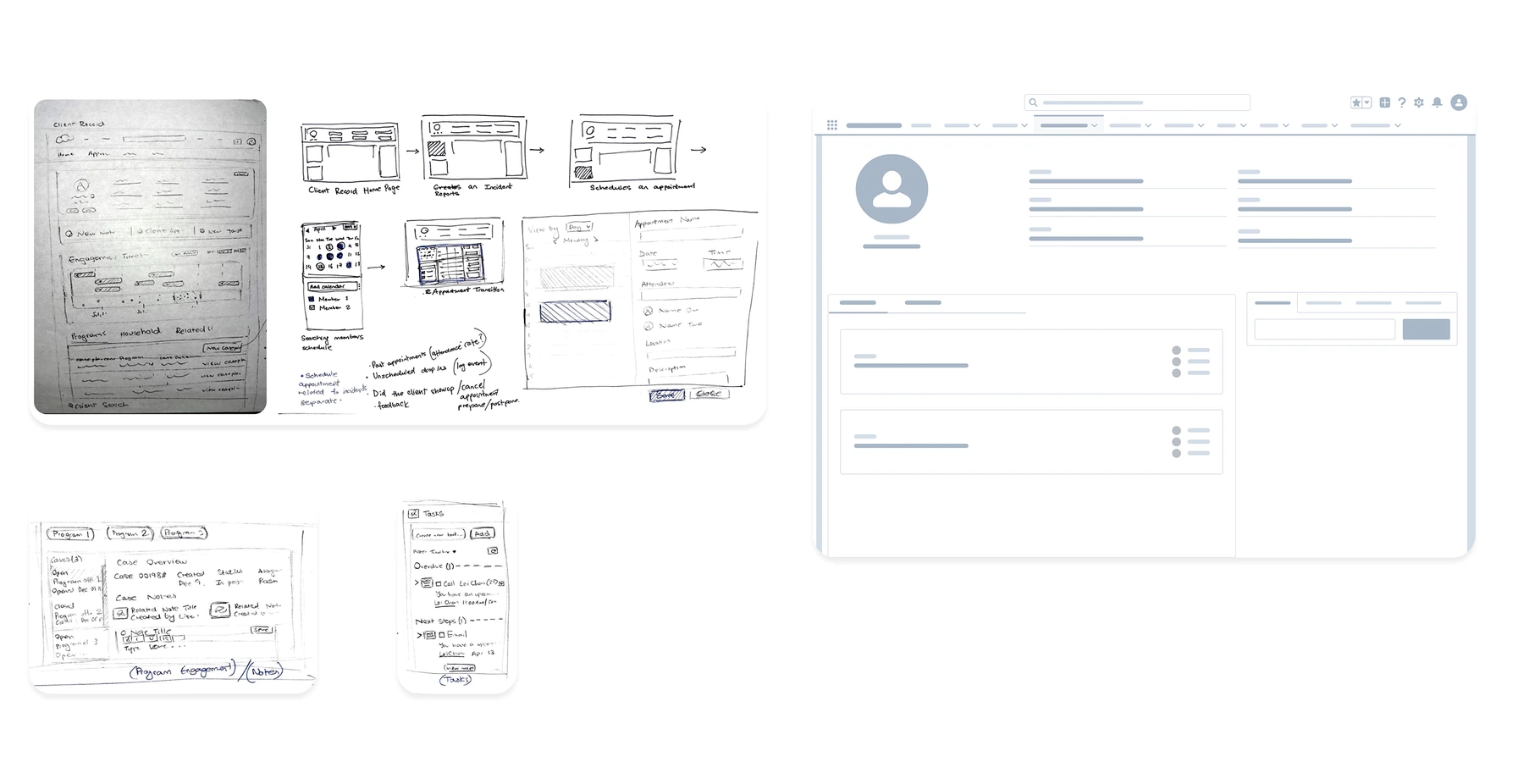
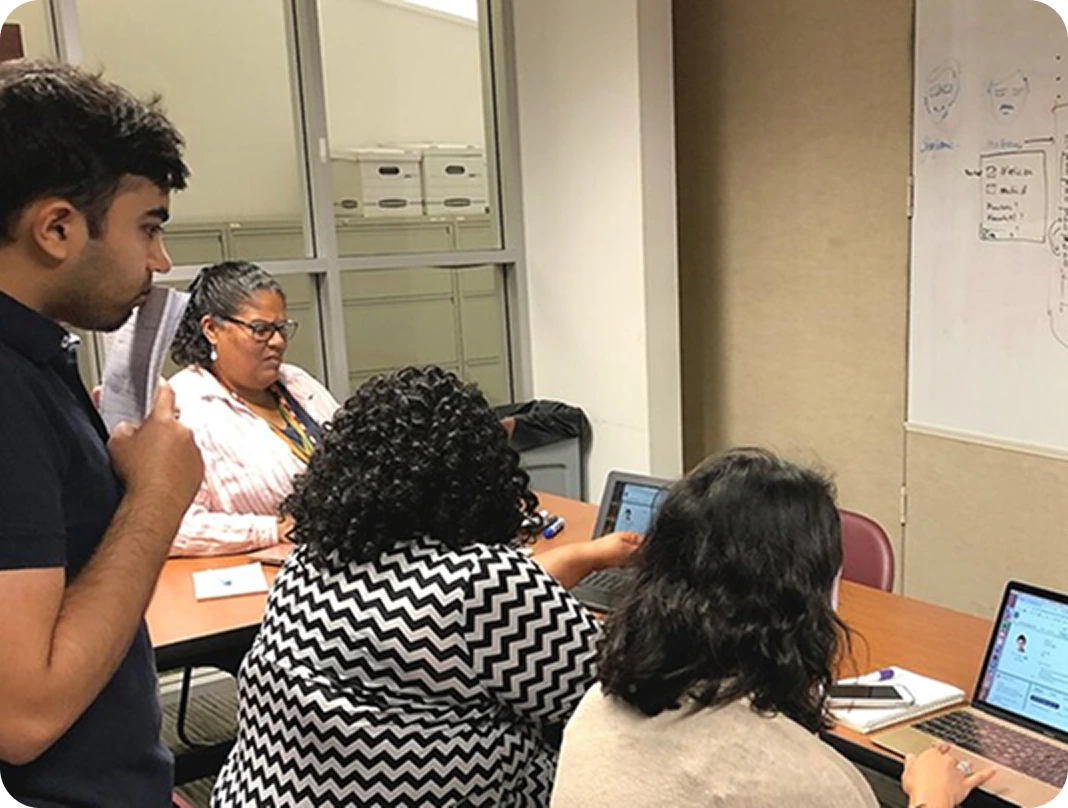
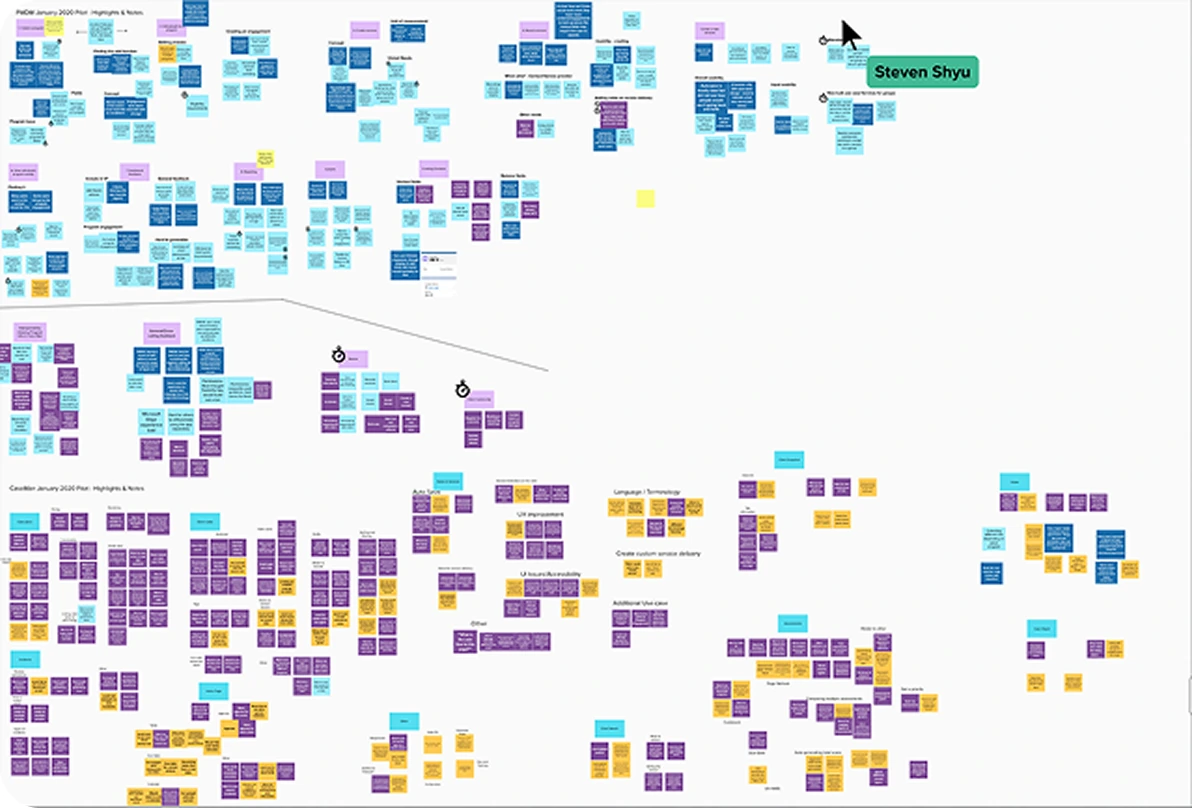
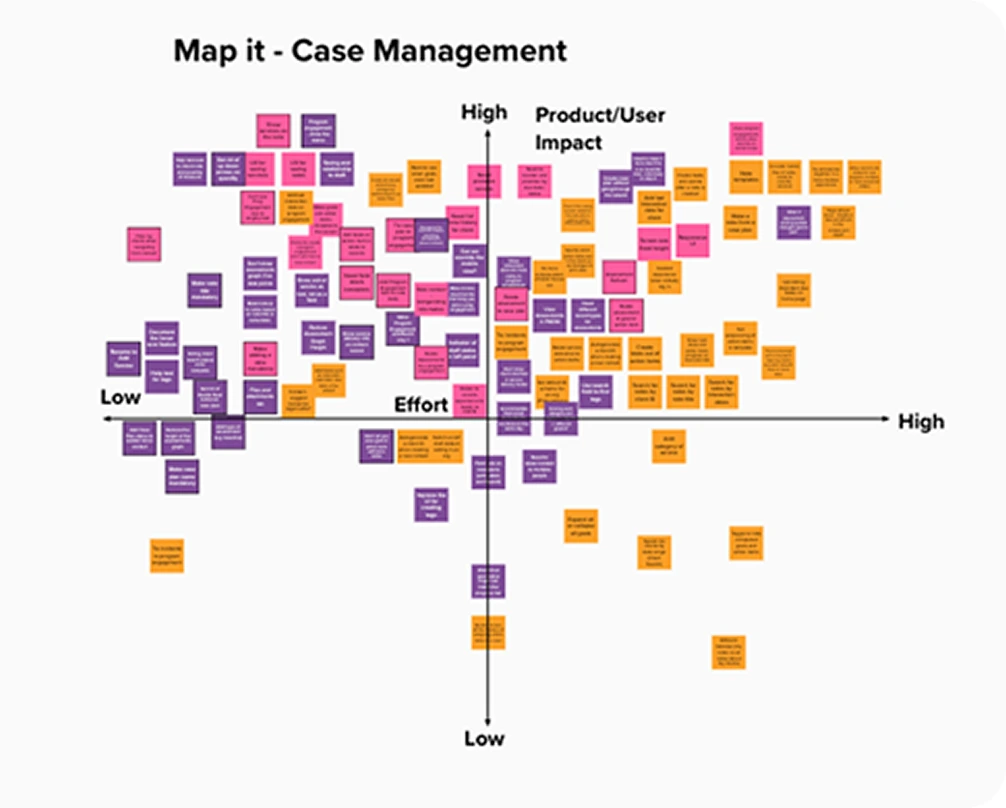
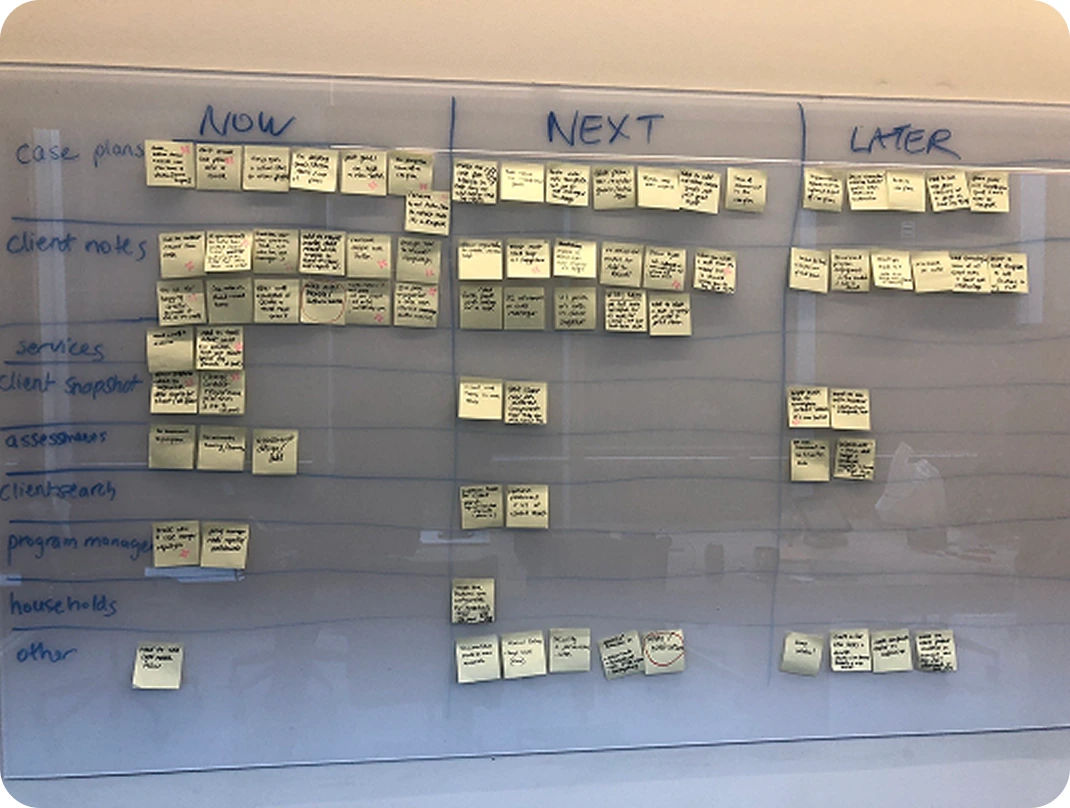
We put the product in front of real case managers, benchmarked it against what they were using, and turned what came back into a prioritized plan.
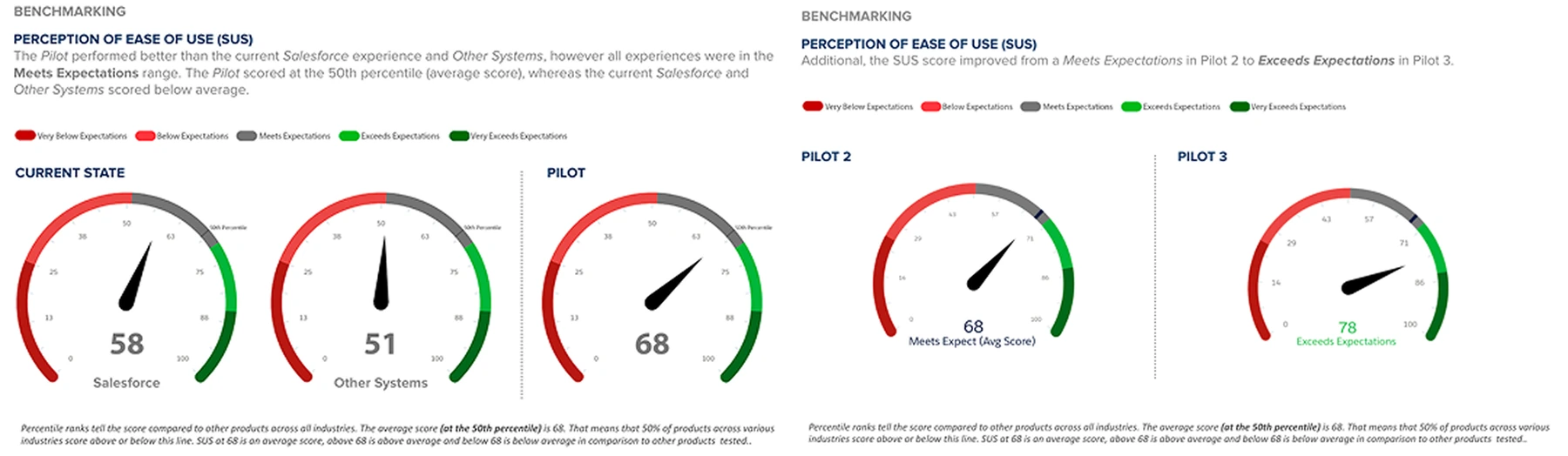
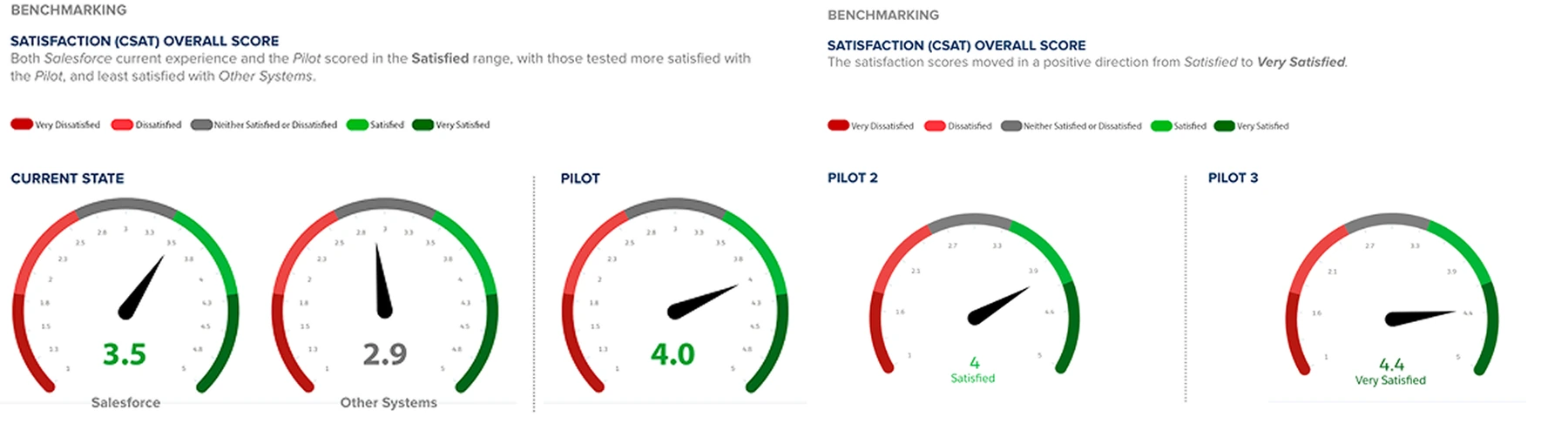
Scores from the UX scorecard captured in every participant session, compared with the current Salesforce experience.
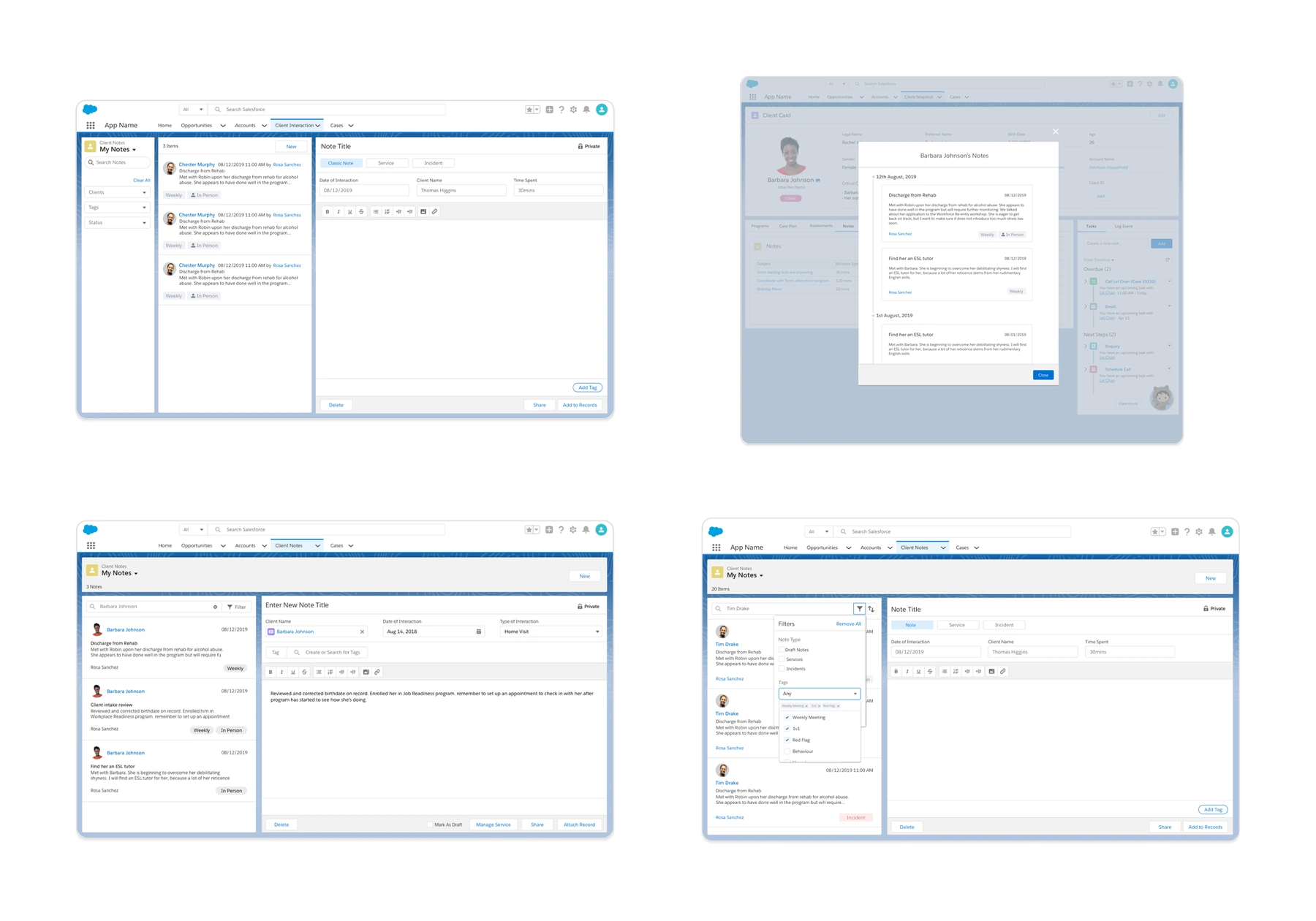
Notes are the backbone of everything. Users capture client info, case plan updates, incidents and even tasks as notes, yet the current notes solution didn’t land, which makes it the highest-impact area to get right.
Flexibility is the top request across every area. Users want to customize case plans, notes, the client card and assessments to fit their organization, including skipping the wizard and adding their own fields and statuses.
Unclear labels cause confusion. Auto-named goals and action items, the Note ID, and the “Manage Service” label didn’t make sense to users, so they hesitated or couldn’t add a service to a note.



One connected system — from the first referral through to the outcomes a program reports on.
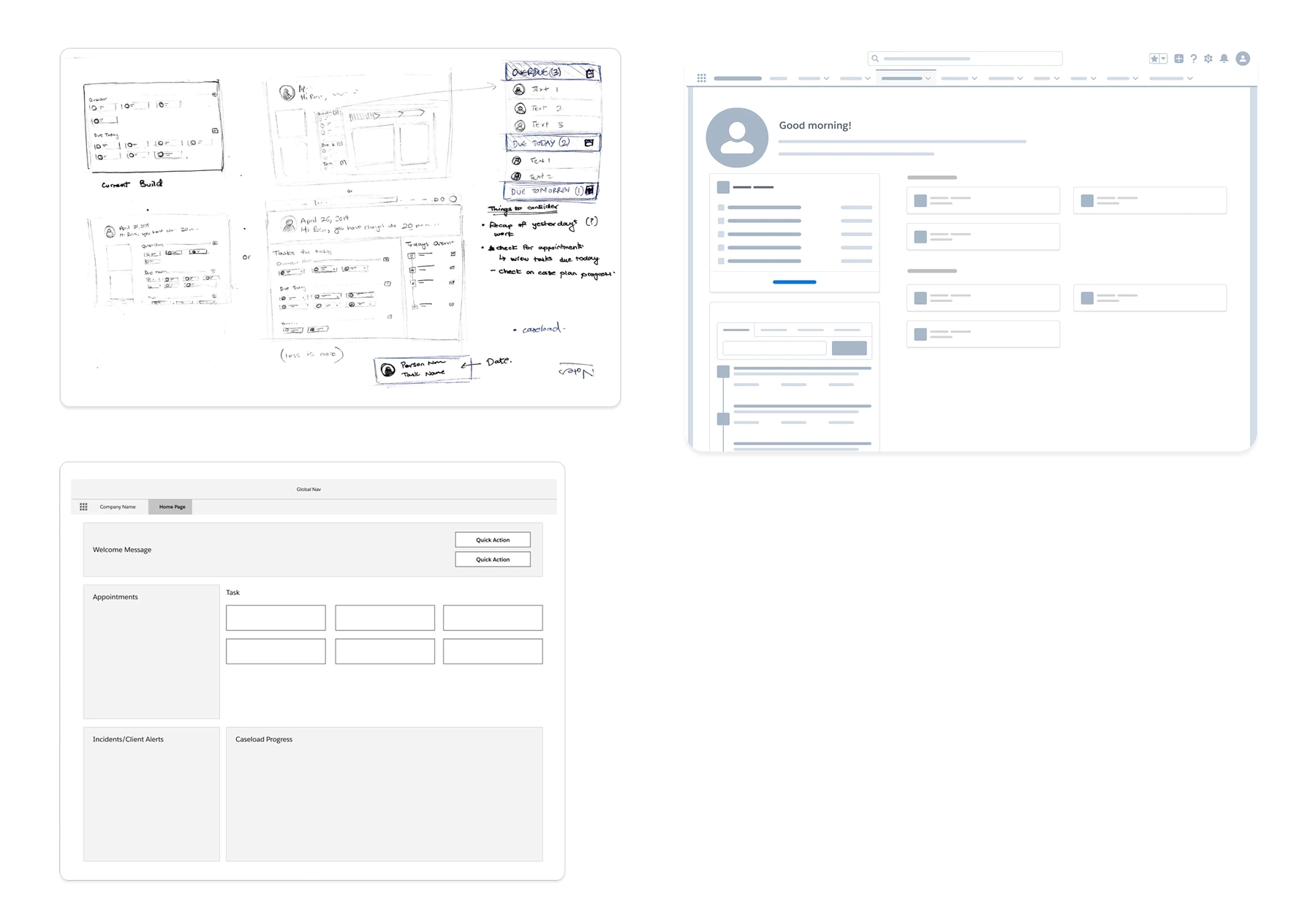
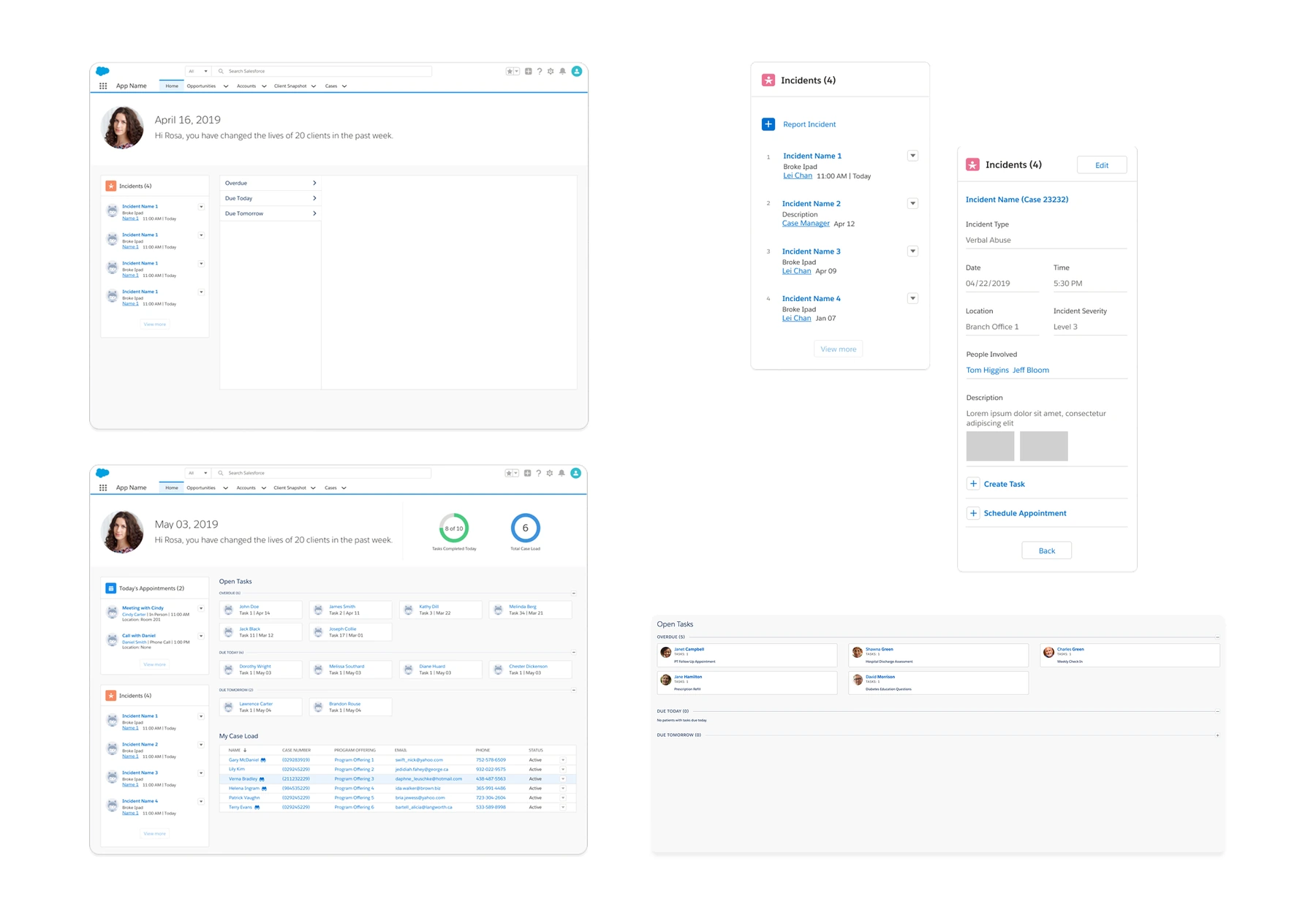
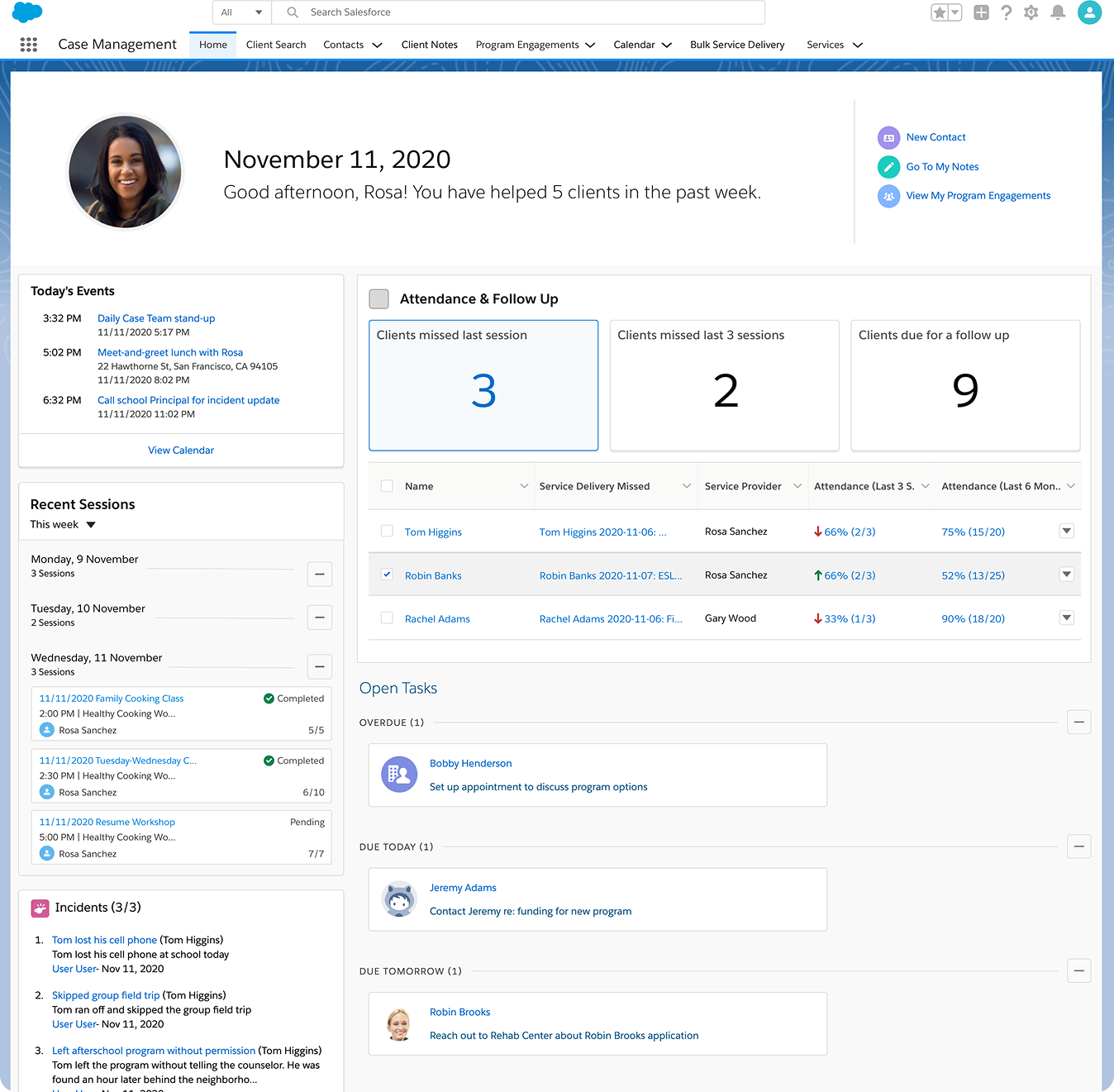
A greeting, the week’s impact, and today’s events in one view. Attendance and follow-ups are counted out — sessions missed, clients due for a follow-up — alongside recent sessions, open tasks, and incidents that need attention now.
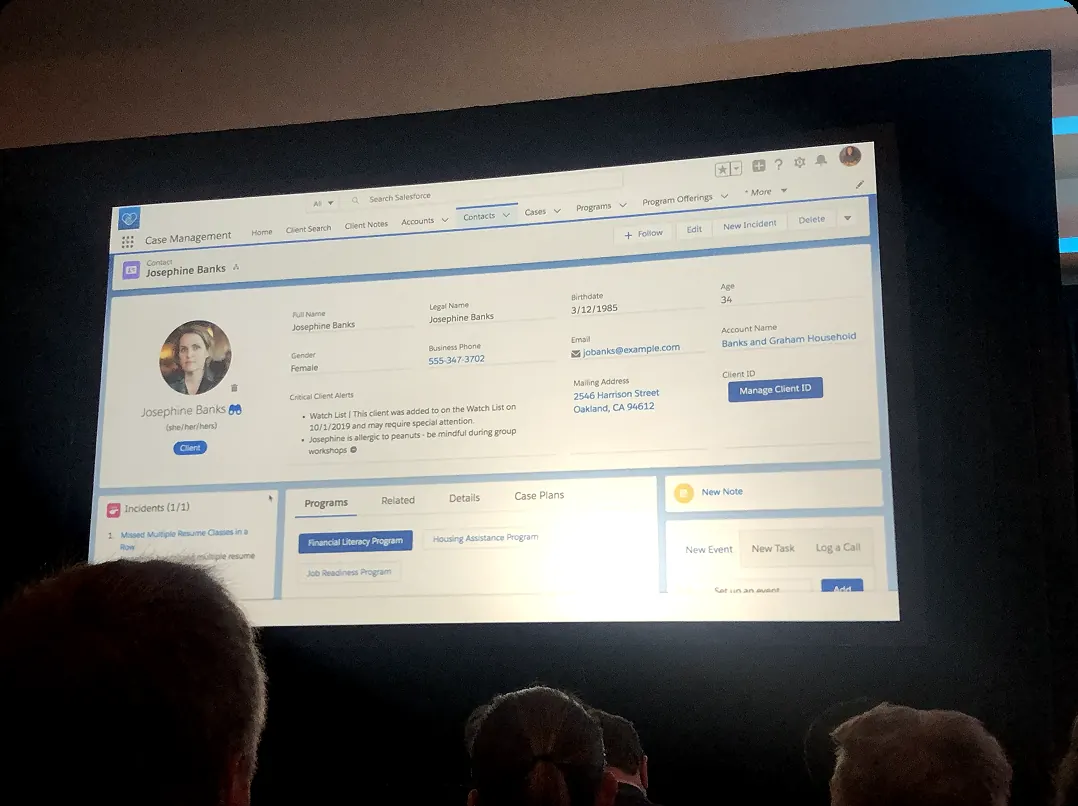
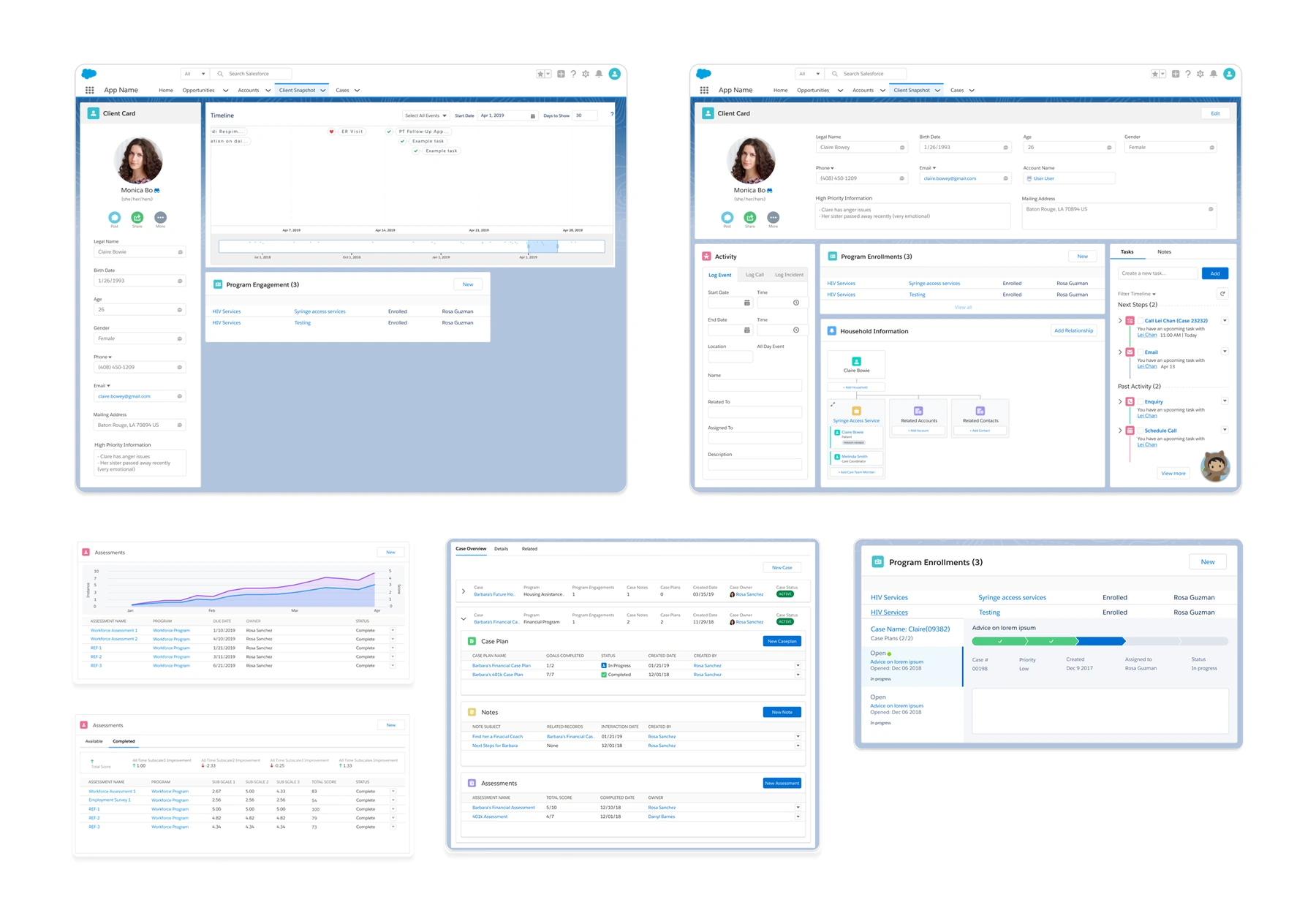
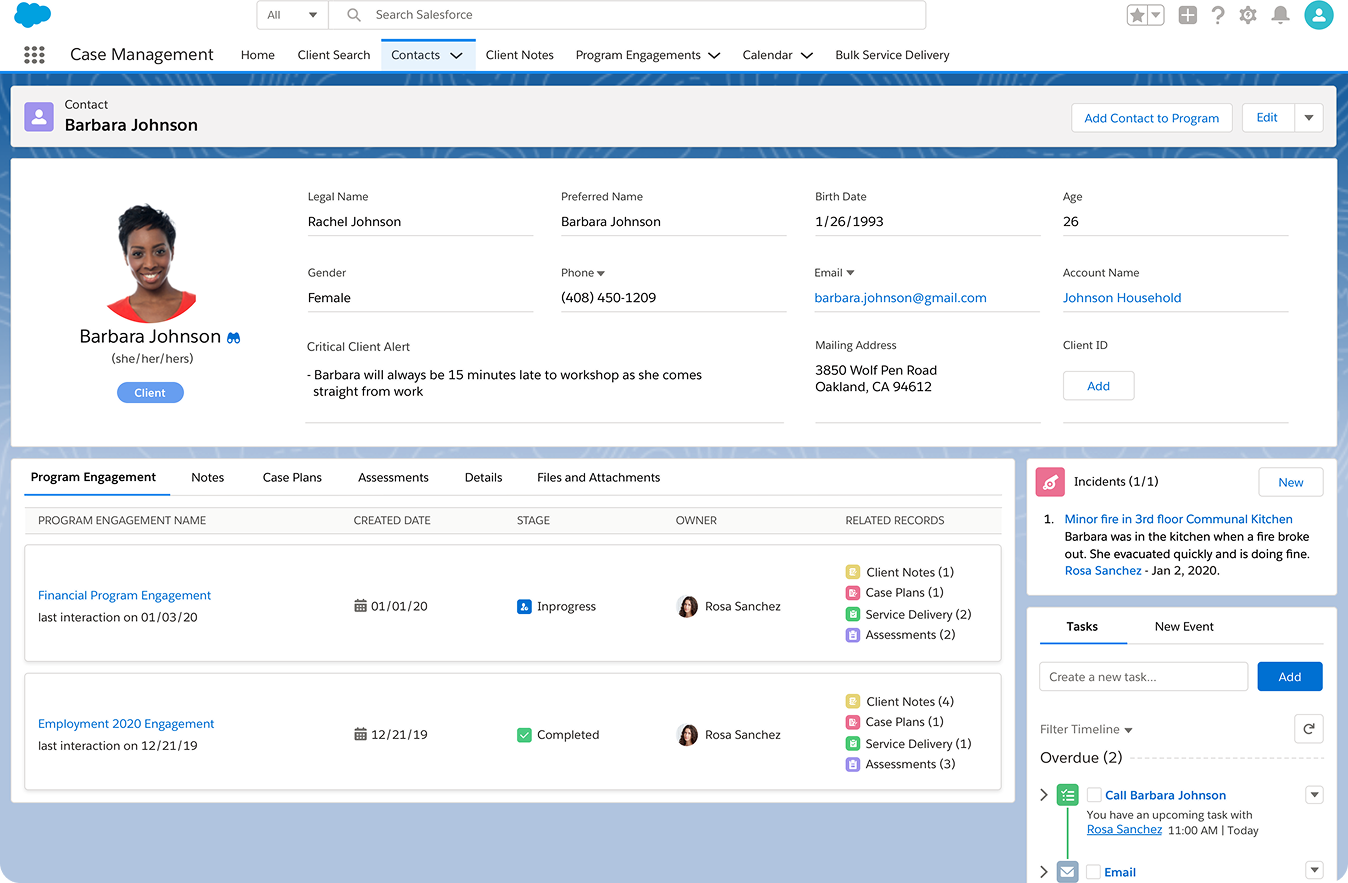
Contact details, critical alerts, program engagements, the latest notes, and what’s overdue or coming next — all on one record. Enough to walk into an appointment prepared, or pick up a case you’ve never seen, without reading the whole history.
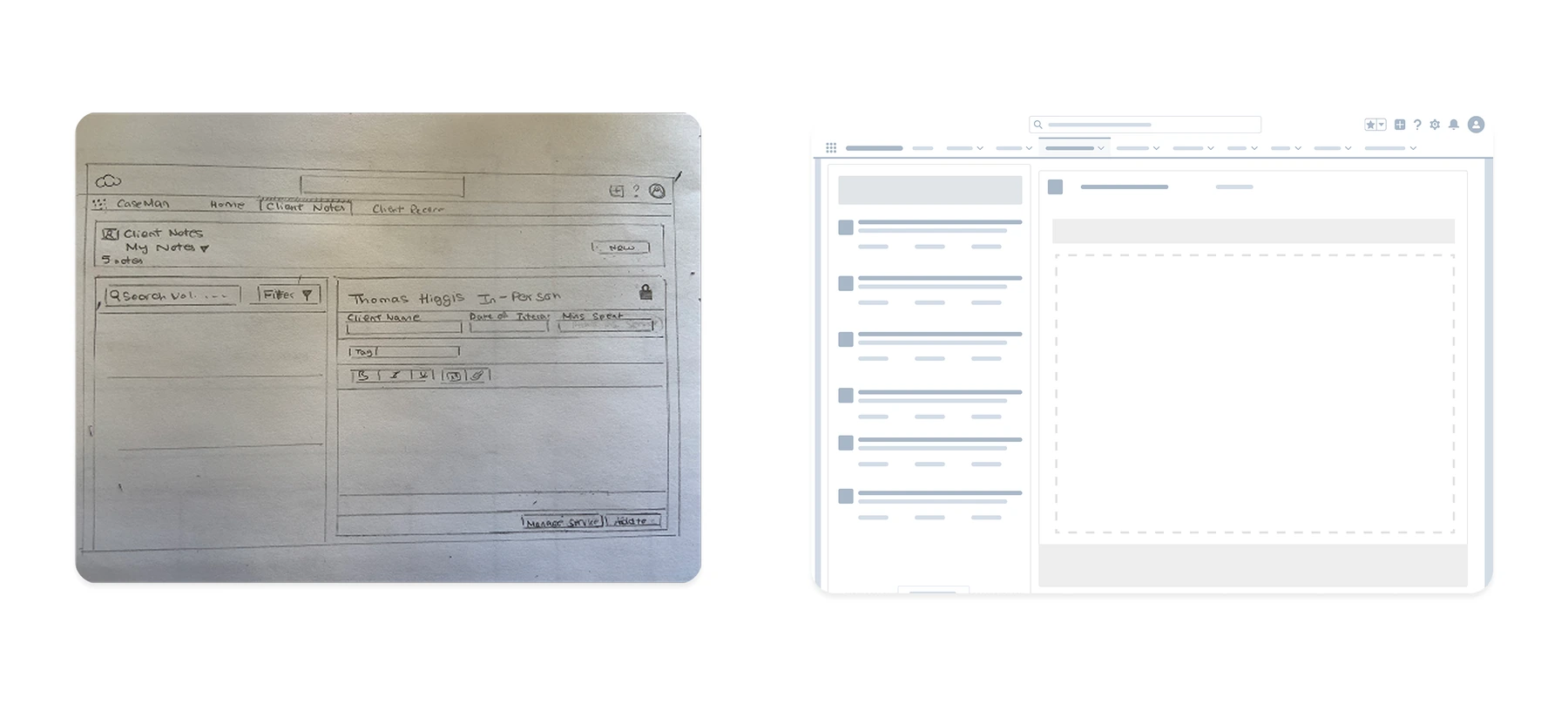
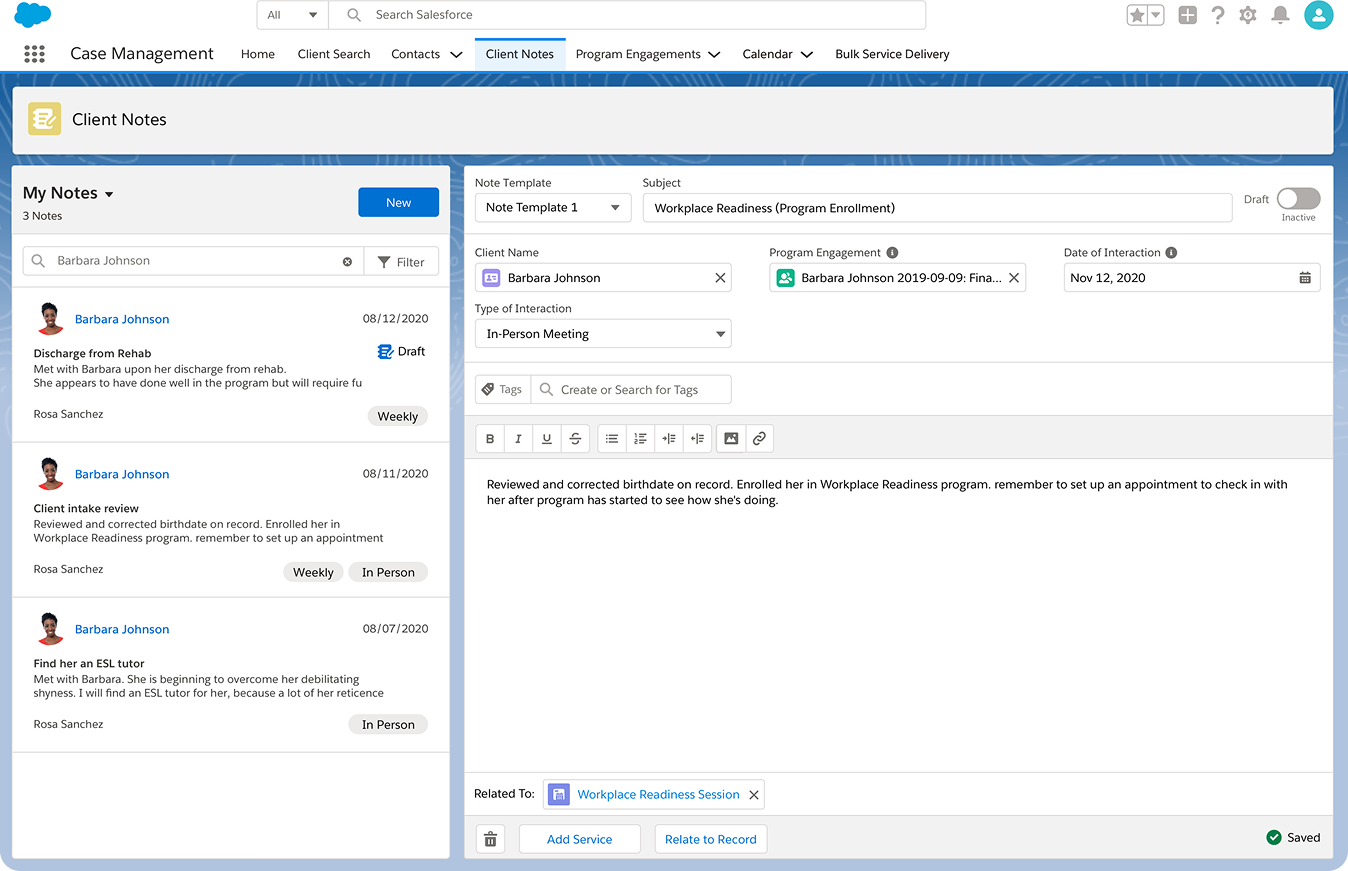
Notes are the heart of case management. Templates and tags do the structuring, drafts save as you go, and the note stays tied to the program engagement and service it belongs to — so writing it up takes minutes, not an evening.
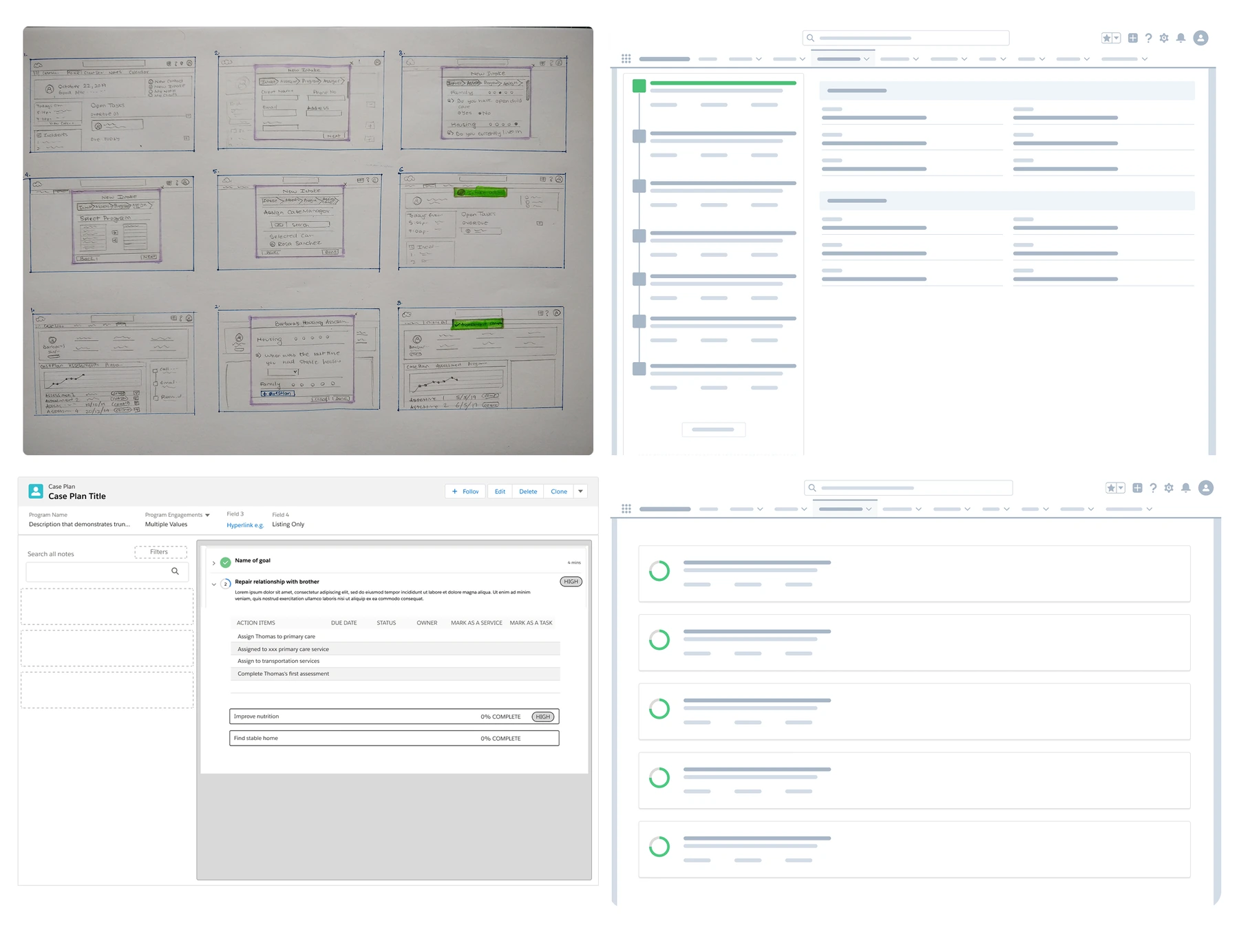
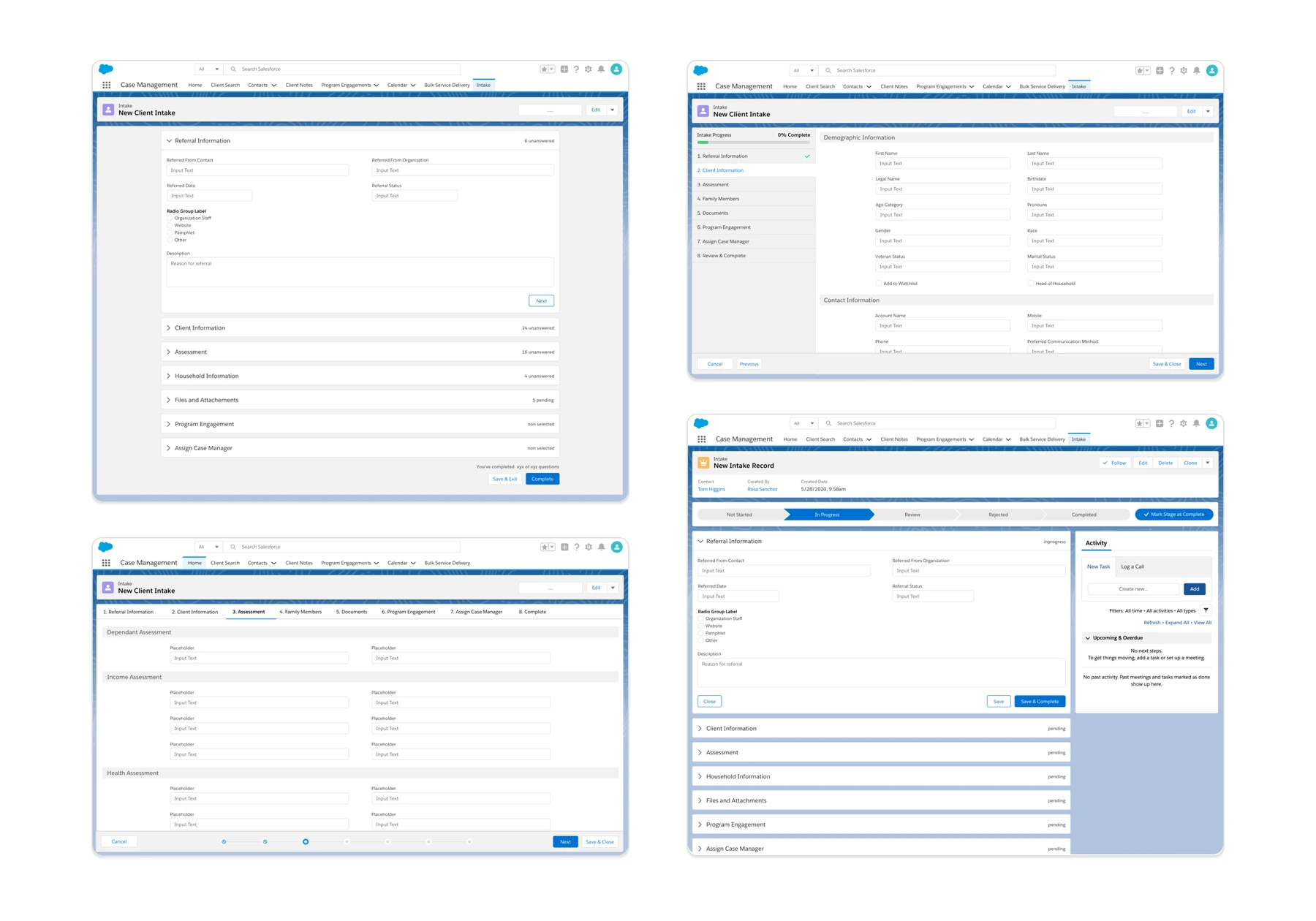
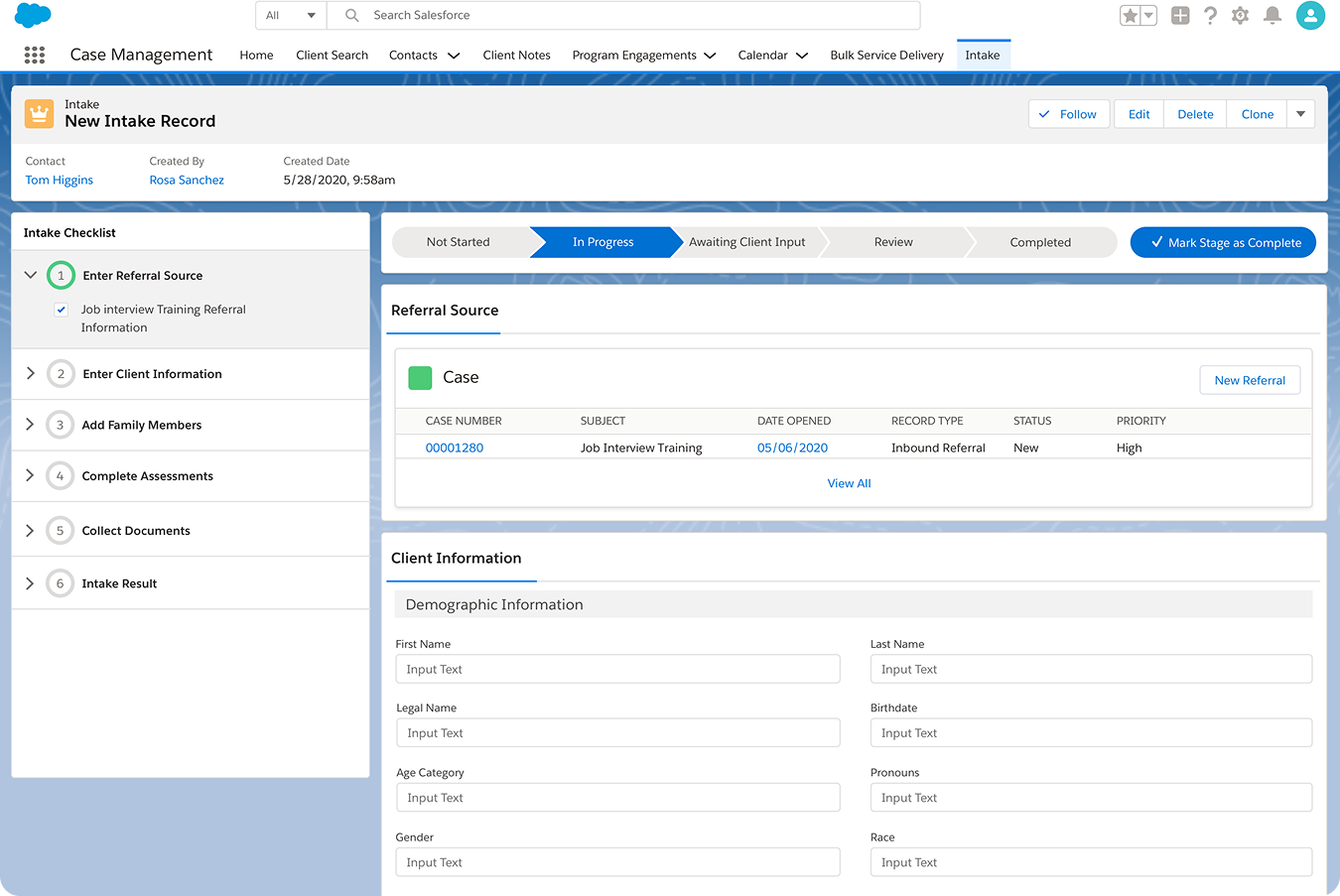
Referral source, client information, family members, assessments, documents. The checklist tracks what’s done and what’s outstanding, with a stage bar across the top so anyone picking up the case knows exactly where it stopped.
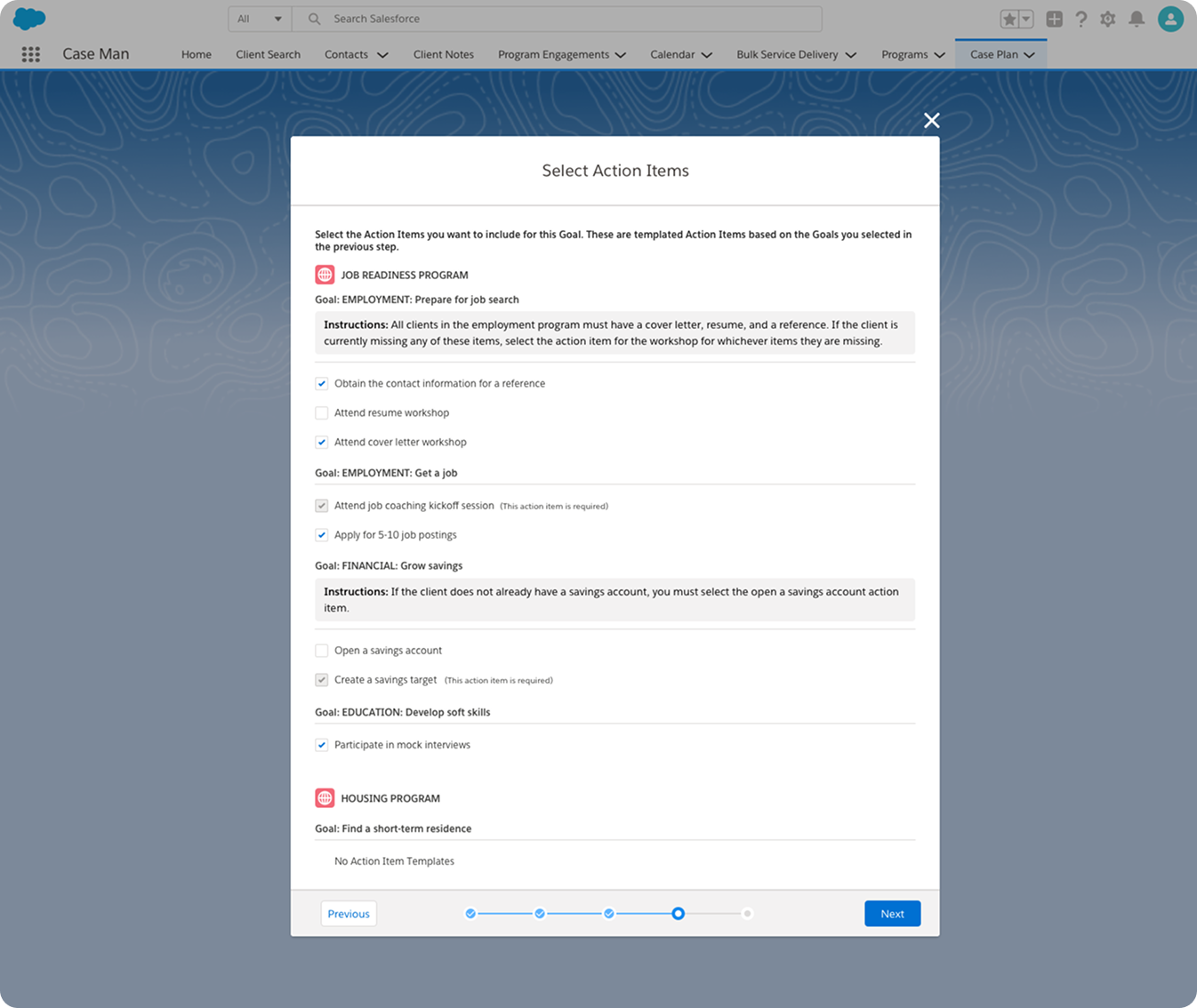
Templated action items are suggested against the goals already chosen, with instructions explaining when each applies. Select the ones that fit, write the ones that don’t — a personalized plan without starting from nothing.
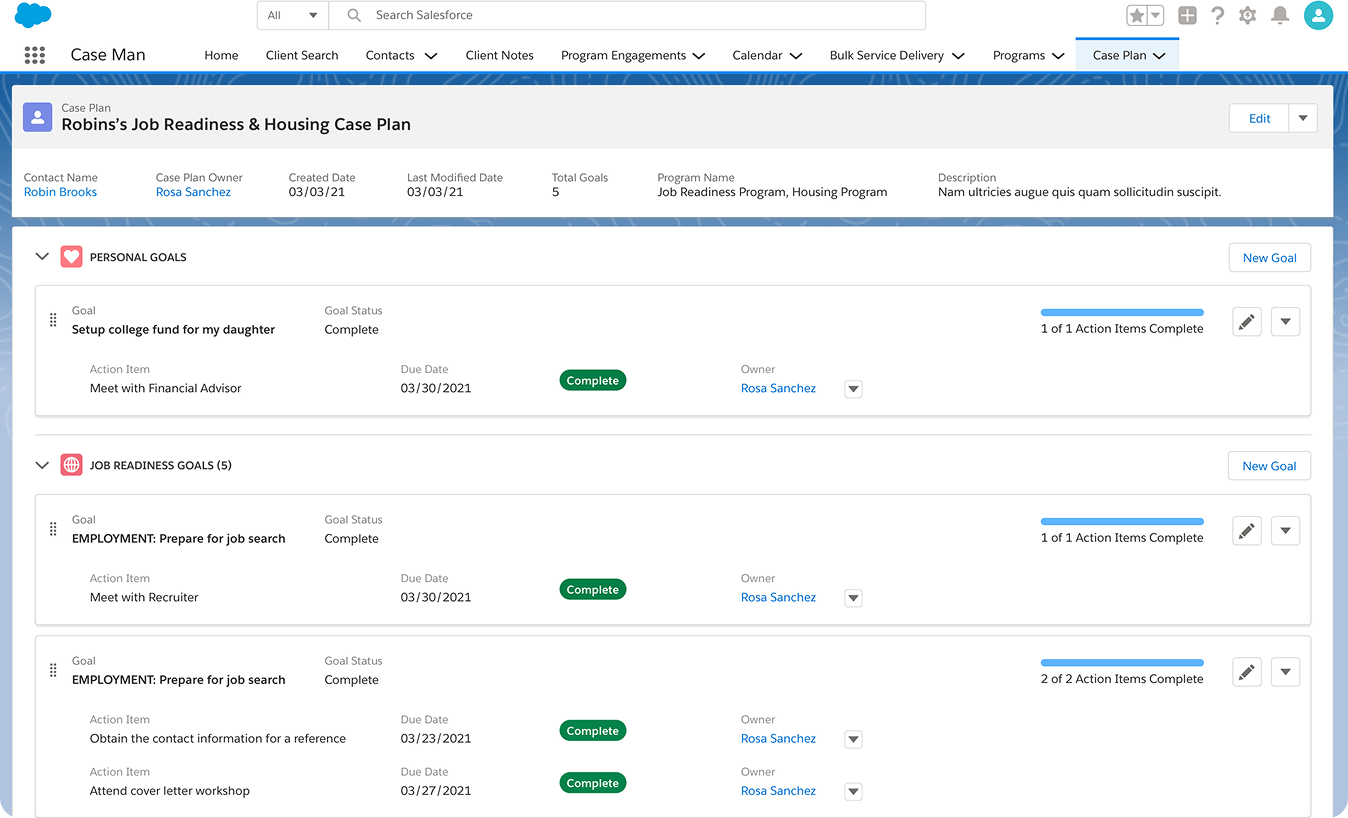
Personal, employment and housing goals grouped together, each with its action items, due dates, owners and completion state. One plan that reads the same to the case manager, the supervisor, and the client sitting across the table.
I designed the Case Management and Program Management icons as one cohesive visual language with the heart at the centerpiece, representing case workers’ dedication to people’s well-being and program managers’ commitment to their teams and community impact.